
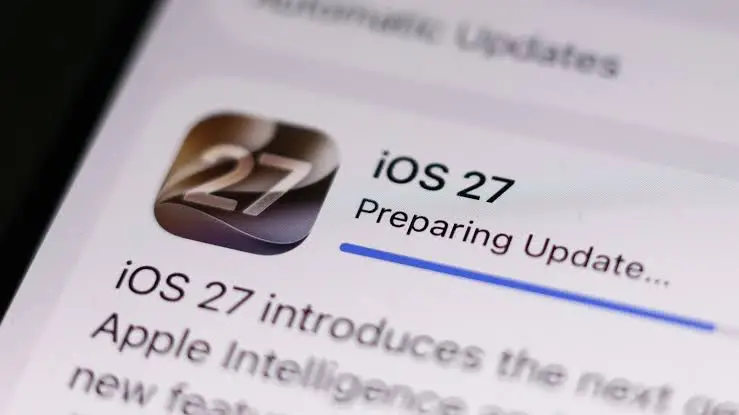
The release of a major operating system update is traditionally met with a mixture of excitement and apprehension among smartphone users. While new features, enhanced security protocols, and refreshed user interfaces drive millions to download the latest software immediately, a secondary phenomenon reliably follows: widespread complaints regarding diminished battery life. Following the rollout of iOS 27, iPhone users across the globe took to social media platforms, tech forums, and customer support channels to report that their devices were losing charge at an alarmingly rapid rate. This isn’t merely an anecdotal inconvenience or user perception; Apple has officially addressed the issue, confirming that temporary battery drain is a normal byproduct of installing a major system upgrade. Understanding the underlying technical mechanisms of modern smartphones helps clarify why this surge in power consumption occurs, how long it typically lasts, and what steps users can take to mitigate the drain while their devices stabilize.
The Technical Mechanics Behind Post-Update Battery Consumption
To comprehend why an iPhone consumes more power immediately following an update to iOS 27, it is necessary to examine what happens beneath the surface once the installation progress bar reaches completion and the device reboots. To the average user, the update process appears finished the moment the home screen reappears. However, from the perspective of the operating system, the heavy lifting has only just begun.
A modern mobile operating system like iOS 27 is a vast, interconnected ecosystem of files, databases, algorithms, and application interfaces. When a major upgrade is applied, the system must perform a massive reorganization of internal data structures. One of the most resource-intensive tasks is the rebuilding of the device’s search index. Spotlight relies on a comprehensive, continuously updated database of every file, message, email, note, and contact stored on the device to provide instantaneous search results. Following a system transition, the entire index must be regenerated from scratch to ensure compatibility with the new file management frameworks introduced in iOS 27.
Concurrently, the device must process a high volume of background maintenance. Applications installed on the device often require localized updates, database migrations, or re-indexing to function correctly within the new software environment. Furthermore, iOS 27 introduces advanced machine learning capabilities, enhanced Siri functionalities, and sophisticated artificial intelligence features that rely heavily on local data processing. The Neural Engine inside the iPhone chip must analyze photos, index facial recognition data, parse conversational contexts, and reorganize metadata to power these next-generation tools. Because these resource-heavy operations are designed to run autonomously without disrupting the user experience, they frequently execute while the screen is turned off or when the phone is idle, drawing continuous power from the battery and occasionally causing the device to feel warm or hot to the touch.
Timeline and Duration of the Post-Update Stabilization Period
For most users experiencing post-update battery drain, the phenomenon is strictly temporary, though the exact duration varies depending on individual device usage patterns, storage capacity, and the amount of data stored locally. Under normal circumstances, the intensive background processing required by iOS 27 concludes within twenty-four to forty-eight hours. During this initial window, the device operates under a heavy computational load as it completes the primary re-indexing and system optimization phases.
However, for devices holding extensive media libraries—such as tens of thousands of high-resolution photographs, large video files, or massive offline document repositories—the timeline can extend significantly. On iPhones heavily laden with data, the background processing required to categorize images for advanced AI features and update machine learning models can persist for two to three days, and in rare cases, up to a full week. During this extended stabilization period, battery performance may appear erratic, dropping rapidly even with minimal active screen time. Apple emphasizes that this behavior does not indicate a hardware defect, degraded battery health, or a permanent reduction in energy efficiency. Rather, it represents a necessary transitional phase during which the hardware adapts to the demands of the new software architecture. Once all background routines conclude, power consumption is expected to normalize, frequently resulting in battery longevity that matches or exceeds previous operating system versions as optimizations take full effect.
Recommended Troubleshooting Steps for Affected Users

While the battery drain associated with iOS 27 is largely self-correcting, users can actively assist their devices in completing the optimization process more efficiently. Implementing specific best practices can shorten the duration of heavy background activity and help identify whether unusual power consumption stems from normal system processes or an underlying software conflict.
One of the most effective methods for accelerating the post-update stabilization phase is to connect the iPhone to a reliable power charger overnight while ensuring that the device remains connected to a stable Wi-Fi network. By keeping the phone plugged in and stationary during overnight hours, the operating system can aggressively execute resource-intensive background tasks, indexing procedures, and data migrations without depleting the battery reserve or throttling performance due to thermal constraints.
Additionally, users should ensure that all installed applications are updated to their latest compatible versions via the App Store. Developers frequently release application patches concurrently with major iOS updates to resolve compatibility issues, optimize API calls, and eliminate memory leaks that could otherwise exacerbate power drain. Performing a routine device restart after the initial installation can also help clear transient cache files and reset stuck background processes that may be contributing to excessive energy consumption.
Distinguishing Normal Post-Update Behavior from Persistent Software Issues
A critical challenge for consumers is determining whether rapid battery depletion is part of the expected post-update optimization or indicative of a persistent software bug. As a general rule of thumb, if the elevated battery consumption persists beyond seven days of normal usage, the cause is unlikely to be standard background indexing.
At that stage, users should conduct a diagnostic review of their device settings. Navigating to the Battery section within the iOS settings menu provides a granular breakdown of energy consumption per application over specific timeframes. This diagnostic tool reveals whether a specific third-party application is consuming a disproportionate share of power due to background refresh loops or lack of optimization for iOS 27. Similarly, inspecting location services settings can identify applications that are continuously polling GPS data in the background, a frequent culprit behind chronic battery drain. Restricting background app refresh privileges for non-essential applications and disabling unnecessary location tracking can yield immediate improvements in daily battery endurance.
Broader Implications for Mobile Operating System Upgrades
The recurring phenomenon of post-update battery drain highlights a fundamental tension in modern consumer technology: the growing complexity of mobile operating systems versus the physical limitations of lithium-ion battery technology. As smartphone manufacturers increasingly integrate artificial intelligence, local machine learning models, and advanced biometric processing into their core software offerings, the computational overhead required to maintain these devices escalates accordingly.
When Apple or any other major software vendor deploys a sweeping upgrade like iOS 27, the underlying goal is to deliver transformative capabilities that enhance productivity, security, and user engagement. However, the transitional friction experienced by millions of users during the initial days following release underscores the need for greater transparency and proactive communication from technology companies. Clearer in-system notifications indicating that a device is currently undergoing post-update optimization could significantly reduce consumer anxiety, curtail panic regarding hardware degradation, and set realistic expectations for device performance during the critical first week of adoption. Ultimately, as mobile software continues to evolve toward deeper automation and predictive intelligence, managing the delicate balance between advanced computational features and energy efficiency will remain a paramount engineering challenge for the entire technology industry.
